-
To run :
-
Git clone recursively the repo.
-
Build the entire solution.
-
Vulkan-Samples\build\windows\app\bin\debug\AMD64. -
Copy the
shadersandassetsfolders fromVulkan-Samplesto the folder above. -
Type
.\vulkan_samples sample sample_name.
-
-
Note :
-
Normal and hpp have the same performance; or whatever, it does not matter.
-
-
Impressions :
-
The extension samples were more visually "uninteresting".
-
I saw all API samples, but I didn't see all Extensions.
-
There were still other folders besides these two, but I was lazy to check.
-
API
-
instancing
-
 .
.
-
Wow, awesome.
-
The fps is very high.
-
-
oit_linked_lists (Order Independent Transparency)
-
 .
.
-
-
oit_depth_peeling (Order Independent Transparency)
-
The object in the center rotates with the mouse.
-
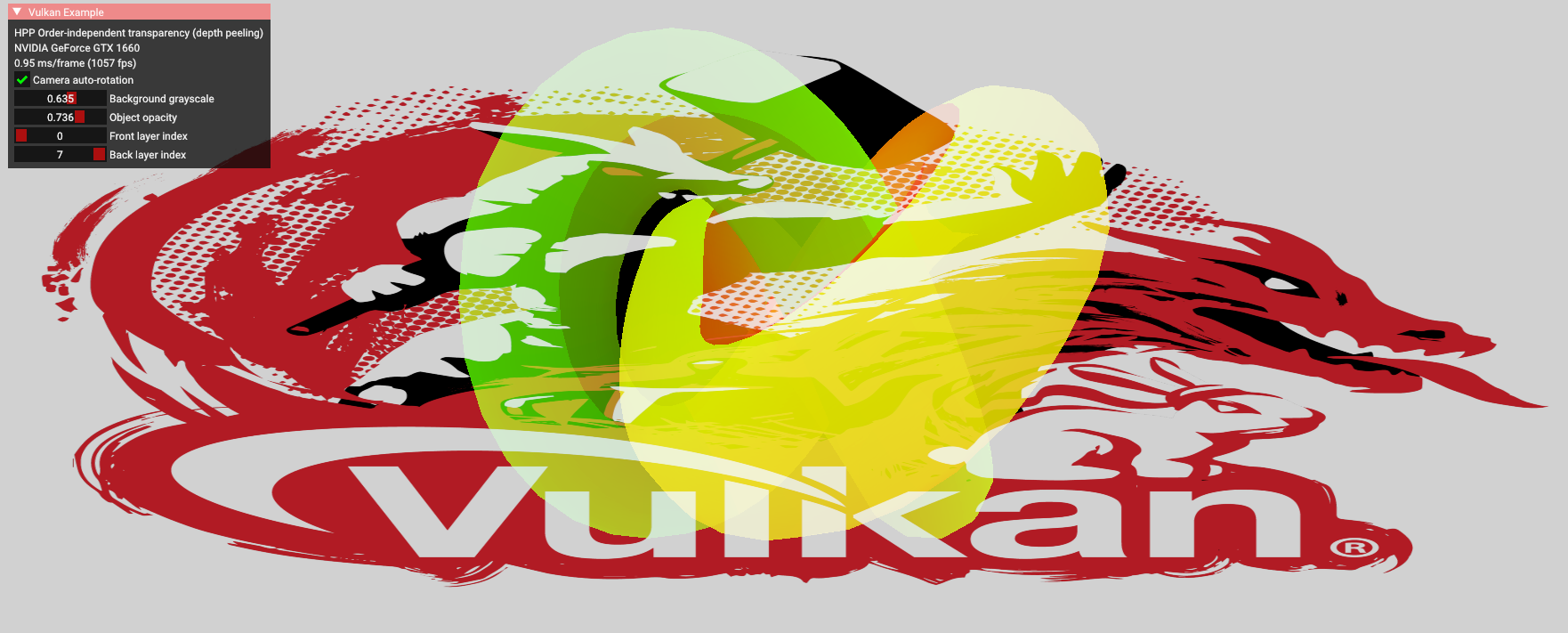 .
.
-
-
compute_nbody
-
 .
.
-
-
dynamic_uniform_buffers.
-
 .
.
-
-
hdr
-
 .
.
-
Allows changing the object, toggling the skybox, changing the exposure, toggling bloom.
-
-
terrain_tessellation
-
 .
.
-
Increasing the tessellation factor made it look like the terrain polycount increased.
-
-
timestamp_queries
-
 .
.
-
Allows changing the object, toggling the skybox, changing the exposure, toggling bloom.
-
-
separate_image_sampler
-
 .
.
-
Allows selecting linear or nearest filtering.
-
-
texture_loading
-
 .
.
-
Allows increasing the LOD bias, reducing image quality.
-
-
texture_mipmap_generation
-
 .
.
-
Allows calibrating the LOD bias, and choosing between mipmap off, bilinear and anisotropic.
-
-
hello_triangle_1_3 / hello_triangle
-
 .
.
-
Nothing special
-
No dynamic resize.
-
Extensions
-
dynamic_line_rasterization
-
 .
.
-
This sample demonstrates functions from various extensions related to dynamic line rasterization.
-
These functions can be useful for developing CAD applications.
-
From the
EXT_line_rasterizationextension.-
vkCmdSetLineStippleEXT- sets the stipple pattern.
-
-
From the
EXT_extended_dynamic_state3extension:-
vkCmdSetPolygonModeEXT- sets how defined primitives should be rasterized. -
vkCmdSetLineRasterizationModeEXT- sets the algorithm for line rasterization. -
vkCmdSetLineStippleEnableEXT- toggles stippling for lines.
-
-
And also from core Vulkan:
-
vkCmdSetLineWidth- sets the line width. -
vkCmdSetPrimitiveTopologyEXT- defines which type of primitives is being drawn.
-
-
-
debug utils
-
 .
.
-
Toggle bloom, toggle skybox.
-
The
EXT_debug_utilsextension to setup a validation layer messenger callback and pass additional debugging information to debuggers like RenderDoc. -
EXT_debug_utilshas been introduced based on feedback for the initial Vulkan debugging extensionsEXT_debug_reportandEXT_debug_marker, combining these into a single instance extension with some added functionality. -
Procedure examples :
-
vkCmdBeginDebugUtilsLabelEXT -
vkCmdInsertDebugUtilsLabelEXT -
vkCmdEndDebugUtilsLabelEXT -
vkQueueBeginDebugUtilsLabelEXT -
vkQueueInsertDebugUtilsLabelEXT -
vkQueueEndDebugUtilsLabelEXT -
vkSetDebugUtilsObjectNameEXT -
vkSetDebugUtilsObjectTagEXT
-
-
-
conditional_rendering
-
 .
.
-
A list of 235 parts of the car, which can be disabled to not render.
-
The
EXT_conditional_renderingextension allows the execution of rendering commands to be conditional based on a value taken from a dedicated conditional buffer. -
This may help an application reduce latency by conditionally discarding rendering commands without application intervention.
-
This sample demonstrates usage of this extension for conditionally toggling the visibility of sub-meshes of a complex glTF model.
-
Instead of having to update command buffers, this is done by updating the aforementioned buffer.
-
-
conservative_rasterization
-
 .
.
-
Enabling the conservative rasterization option causes this blending effect.
-
EXT_conservative_rasterizationchanges the way fragments are generated. -
Enables overestimation to generate fragments for every pixel touched instead of only pixels that are fully covered.
-
-
color_write_enable
-
 .
.
-
Color picker to change the background color.
-
Some options for "bit", changing the triangle color.
-
The
EXT_color_write_enableextension allows toggling the output color attachments using a pipeline dynamic state. -
It allows the program to prepare an additional framebuffer populated with the data from a defined color blend attachment which can be blended dynamically to the final scene.
-
The final results are comparable to those obtained with
vkCmdSetColorWriteMaskEXT, but it does not require the GPU driver to supportEXT_extended_dynamic_state3.
-
-
dynamic_blending
-

-
This sample demonstrates the functionality of
EXT_extended_dynamic_state3related to blending. -
It includes the following features:
-
vkCmdSetColorBlendEnableEXT: toggles blending on and off. -
vkCmdSetColorBlendEquationEXT: modifies blending operators and factors. -
vkCmdSetColorBlendAdvancedEXT: utilizes more complex blending operators. -
vkCmdSetColorWriteMaskEXT: toggles individual channels on and off.
-
-
-
descriptor_indexing
-
 .
.
-
-
~descriptor_buffer_basic
-
 .
.
-
Just boxes rotating, I didn't understand.
-
Just textures rotating, I didn't understand.
-
-
dynamic_multisample_rasterization
-
This sample demonstrates one of the functionalities of
EXT_extended_dynamic_state3related to rasterization samples. -
The extension can be used to dynamically change sampling without the need to swap pipelines.
-
 .
.
-
This thing took quite a while to open, generating binary files, etc.
-
-
dynamic_primitive_clipping
-
 .
.
-
This sample demonstrates how to apply depth clipping using the
vkCmdSetDepthClipEnableEXT()command which is a part of theEXT_extended_dynamic_state3extension. -
Additionally it also shows how to apply primitive clipping using the
gl_ClipDistance[]builtin shader variable. -
It is worth noting that primitive clipping and depth clipping are two separate features of the fixed-function vertex post-processing stage.
-
They're both described in the same chapter of the Vulkan specification (chapter 27.4, "Primitive clipping").
-
What is primitive clipping
-
Primitives produced by vertex/geometry/tessellation shaders are sent to fixed-function vertex post-processing.
-
Primitive clipping is a part of post-processing pipeline in which primitives such as points/lines/triangles are culled against the cull volume and then clipped to the clip volume.
-
And then they might be further clipped by results stored in the
gl_ClipDistance[]array - values in this array must be calculated in a vertex/geometry/tessellation shader. -
In the past, the fixed-function version of the OpenGL API provided a method to specify parameters for up to 6 clipping planes (half-spaces) that could perform additional primitive clipping. Fixed-function hardware calculated proper distances to these planes and made a decision - should the primitive be clipped against these planes or not (for historical study - search for the
glClipPlane()description). -
Vulkan inherited the idea of primitive clipping, but with one important difference: the user has to calculate the distance to the clip planes on their own in the vertex shader.
-
And - because the user does it in a shader - they do not have to use clip planes at all. It can be any kind of calculation, as long as the results are put in the
gl_ClipDistance[]array. -
Values that are less than 0.0 cause the vertex to be clipped. In the case of a triangle primitive the whole triangle is clipped if all of its vertices have values stored in
gl_ClipDistance[]below 0.0. When some of these values are above 0.0 - the triangle is split into new triangles as described in the Vulkan specification.
-
-
What is depth clipping
-
When depth clipping is disabled then effectively there is no near or far plane clipping.
-
Depth values of primitives that are behind the far plane are clamped to the far plane depth value (usually 1.0).
-
Depth values of primitives that are in front of the near plane are clamped to the near plane depth value (by default it's 0.0, but may be set to -1.0 if we use settings defined in
VkPipelineViewportDepthClipControlCreateInfoEXTstructure. This requires the presence of theEXT_depth_clip_controlextension which is not part of this tutorial). -
In this sample the result of depth clipping (or lack of it) is not clearly visible at first. Try to move the viewer position closer to the object and see how the "use depth clipping" checkbox changes object appearance.
-
-
-
~buffer_device_address.
-
 .
.
-
I didn't understand. It's just things moving.
-
-
~calibrated_timestamps
-
timestamp_queries, but with other timings.
-